Presets
Mockzilla responses can be changed and configured at runtime either using our desktop app or our embedded UI that can be included in your app.
What are presets?
Presets are pre-defined responses configured in code that can be applied at runtime.
Defining presets
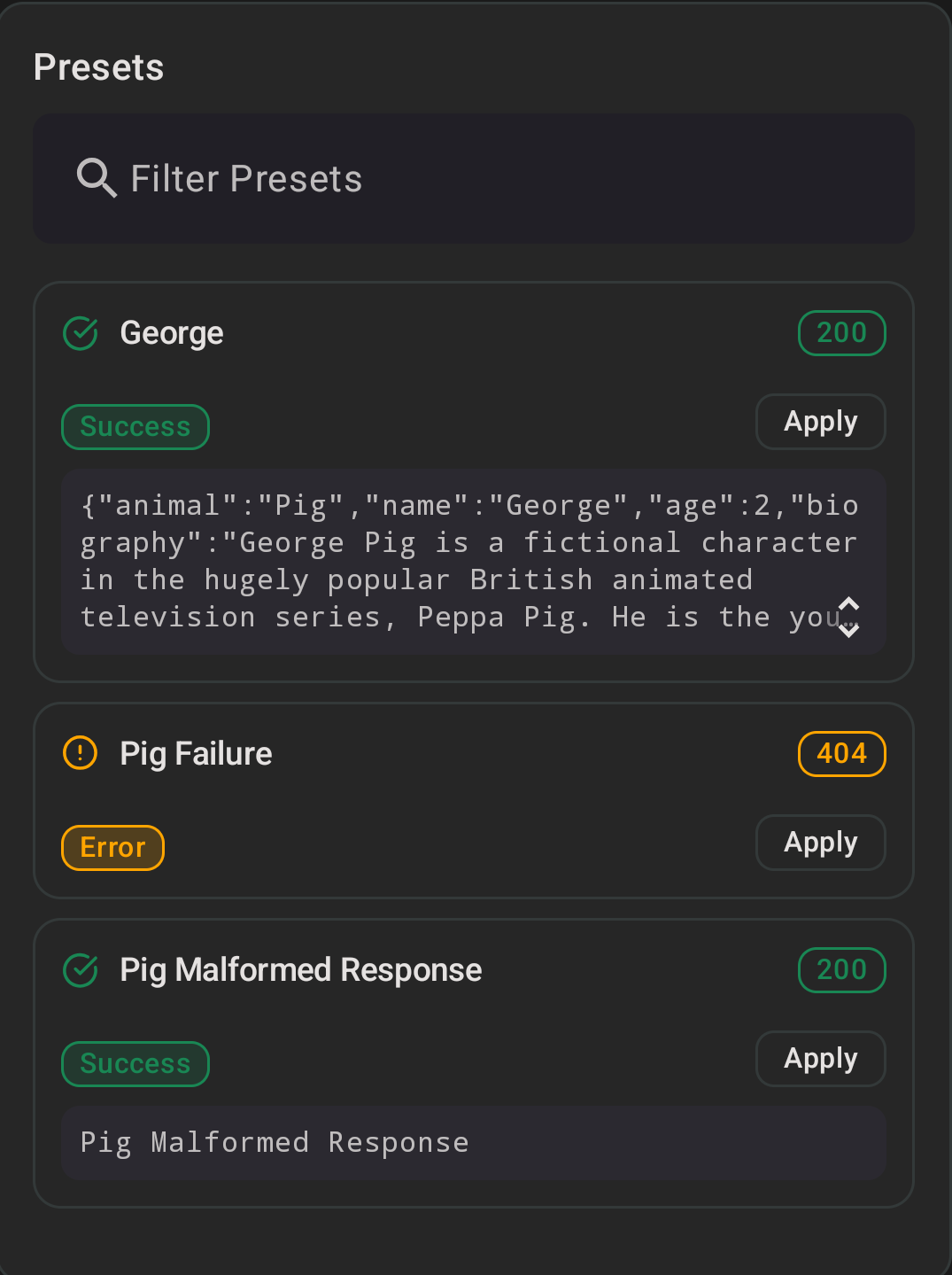
Presets are applied to individual endpoints, they can be successful responses, errors, or anything else! They're defined in code and show up in the UI as one-tap options - select one and it's applied immediately.
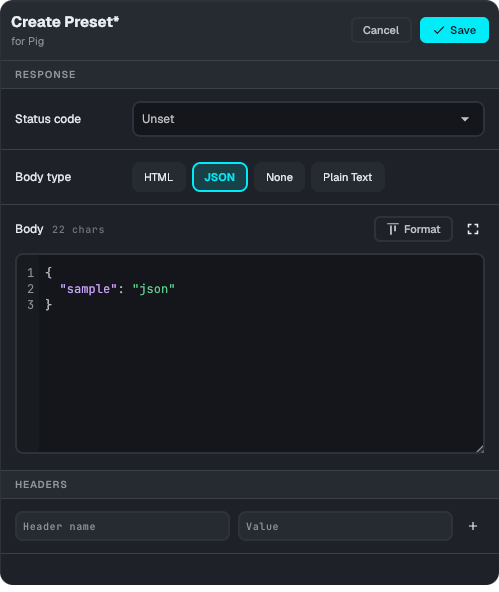
You can also create a custom preset on the fly, without editing code, using the built-in editor:
How preset overrides combine with your default handler
This is worth understanding precisely, since it's not obvious from the UI: a preset only overrides the specific fields you set on it. Status code, headers, and body are each overridden independently - if you leave one unset (for example, you only override the status code), the response for that field still comes from whatever your endpoint's setDefaultHandler block returns for that request.
The default handler is skipped entirely only once all three fields - status, headers, and body - are overridden. Applying a canned preset defined with a full MockzillaHttpResponse in code behaves the same way, since it sets all three fields; but a custom preset you build via the "None" body option, for instance, will still fall through to your default handler's body.
    EndpointConfiguration
        .Builder("Pig")
        .configureDashboardOverrides {
            addPreset(
                name = "George",
                response = MockzillaHttpResponse(
                    body = Json.encodeToString(
                        AnimalDto(
                            name = "George",
                            age = 2,
                            biography = "George Pig is a fictional character...",
                        )
                    )
                )
            )
            addPreset(
                name = "Pig Failure",
                response = MockzillaHttpResponse(statusCode = HttpStatusCode.NotFound)
            )
            ...
    EndpointConfigurationBuilder(id: "Pig")
        .configureDashboardOverrides { builder in
                builder.addPreset(
                    response: MockzillaHttpResponse(
                        status: HttpStatusCode.OK,
                        headers: [:],
                        body: AnimalDto(
                            name: "George",
                            age: 2,
                            biography: "George Pig is a fictional character...",
                        ).toJson()
                    ),
                    name: "George",
                    description: nil,
                    type: nil
                )
            }
EndpointConfig(
  name: "Pig",
  ...
  dashboardOptionsConfig: DashboardOptionsConfig(presets: [
    DashboardOverridePreset(
        name: "George",
        response: MockzillaHttpResponse(
          statusCode: 200,
          headers: {},
          body: AnimalDto(
            name = "George",
            age = 2,
            biography = "George Pig is a fictional character...",
          ).toJsonString(),
        )
    ),
    DashboardOverridePreset(
        name: "Pig Failure",
        response: MockzillaHttpResponse(
          statusCode: 404,
          headers: {},
          body: "",
        )
    )
  ])
Applying Presets
The presets can be applied through the desktop app or the embedded UI.
Preset Types
Default Behaviour
By default the preset types are derived from the status code.
Overriding
This can be helpful if you're simulating an API that doesn't utilise status codes, e.g. using 200 even for errors.
.configureDashboardOverrides {
    addPreset(
        name = "200 Error",
        response = MockzillaHttpResponse(statusCode = HttpStatusCode.OK),
        type = DashboardOverridePreset.Type.ServerError
    ).addPreset(
        name = "200 Success",
        response = MockzillaHttpResponse(statusCode = HttpStatusCode.OK),
        type = DashboardOverridePreset.Type.Success
    ).addPreset(
        name = "200 Redirect",
        response = MockzillaHttpResponse(statusCode = HttpStatusCode.OK),
        type = DashboardOverridePreset.Type.Redirect
    )
}
.configureDashboardOverrides { builder in
    builder.addPreset(
        name: "200 Error",
        description: nil,
        response: MockzillaHttpResponse(status: HttpStatusCode.OK),
        type: MockzillaDashboardOverridePresetType.servererror
    )
    builder.addPreset(
        name: "200 Success",
        description: nil,
        response: MockzillaHttpResponse(status: HttpStatusCode.OK),
        type: MockzillaDashboardOverridePresetType.success
    )
    builder.addPreset(
        name: "200 Redirect",
        description: nil,
        response: MockzillaHttpResponse(status: HttpStatusCode.OK),
        type: MockzillaDashboardOverridePresetType.redirect
    )
}
    DashboardOptionsConfig(presets: [
        DashboardOverridePreset(
            name: "200 Error",
            response: MockzillaHttpResponse(statusCode: 200),
            description: null,
            type: DashboardOverridePresetType.serverError
        ),
        DashboardOverridePreset(
            name: "200 Success",
            response: MockzillaHttpResponse(statusCode: 200),
            description: null,
            type: DashboardOverridePresetType.success
        ),
        DashboardOverridePreset(
            name: "200 Redirect",
            response: MockzillaHttpResponse(statusCode: 200),
            description: null,
            type: DashboardOverridePresetType.redirect
        ),
  ])